

WindowBlinds 11
Stardock
2023년 2월 15일
20
조회수
1
리뷰 수
75+
추정 판매량
0%
긍정 평가
게임 정보
| 출시일: | 2023년 2월 15일 |
| 개발사: | Stardock |
| 퍼블리셔: | Stardock |
| 플랫폼: | Windows |
| 출시 가격: | 31,000 원 |
| 장르: | 유틸리티 |

업적 목록
업적 정보가 없습니다.
추천 게임

게임 소개
Customize Windows 10/11 PCs with skins for your Start menu, taskbar, window frames, and control buttons. Modify skins by adjusting font, colors, transparency, and more for a truly unique design.
상세 설명
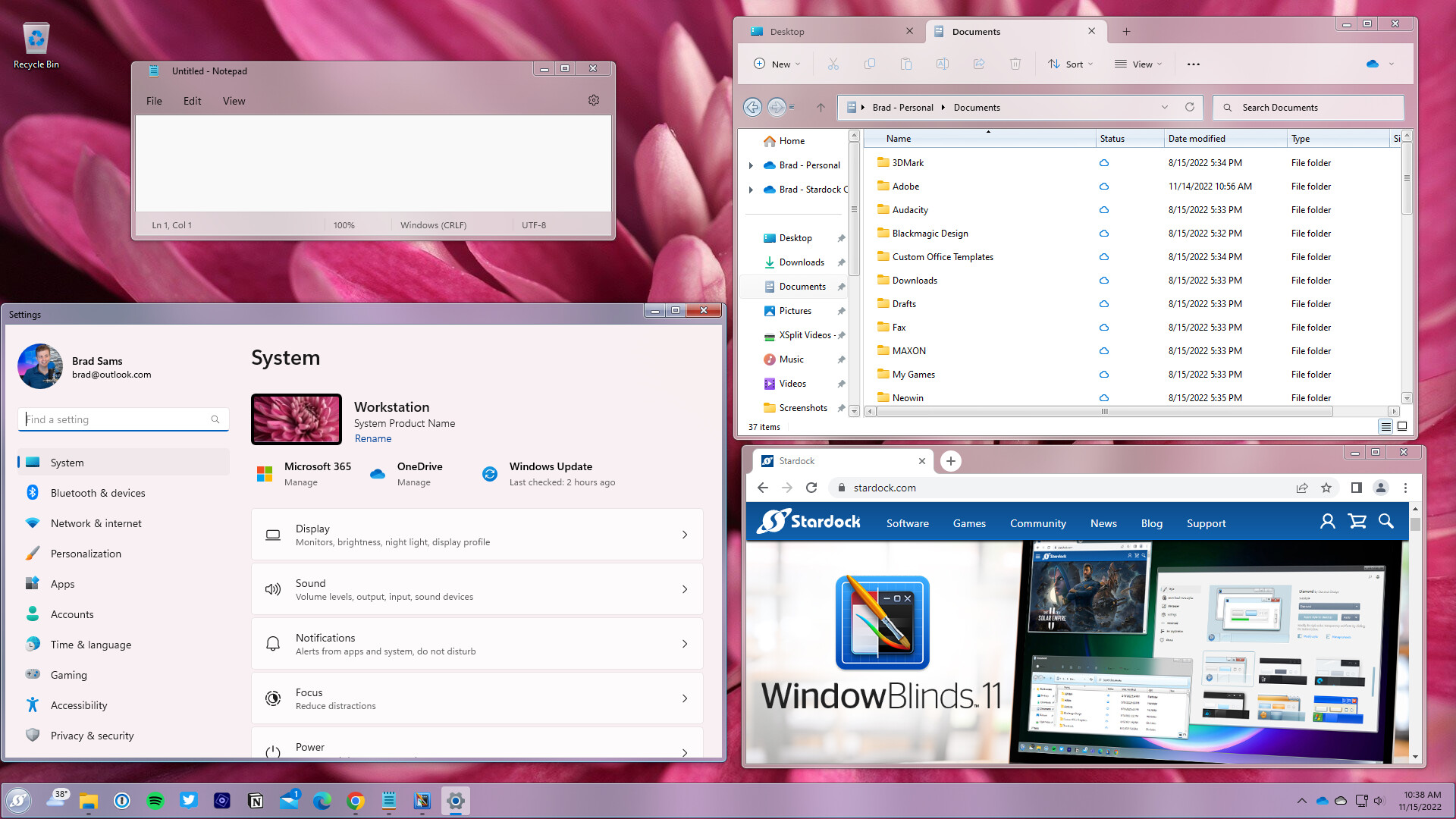
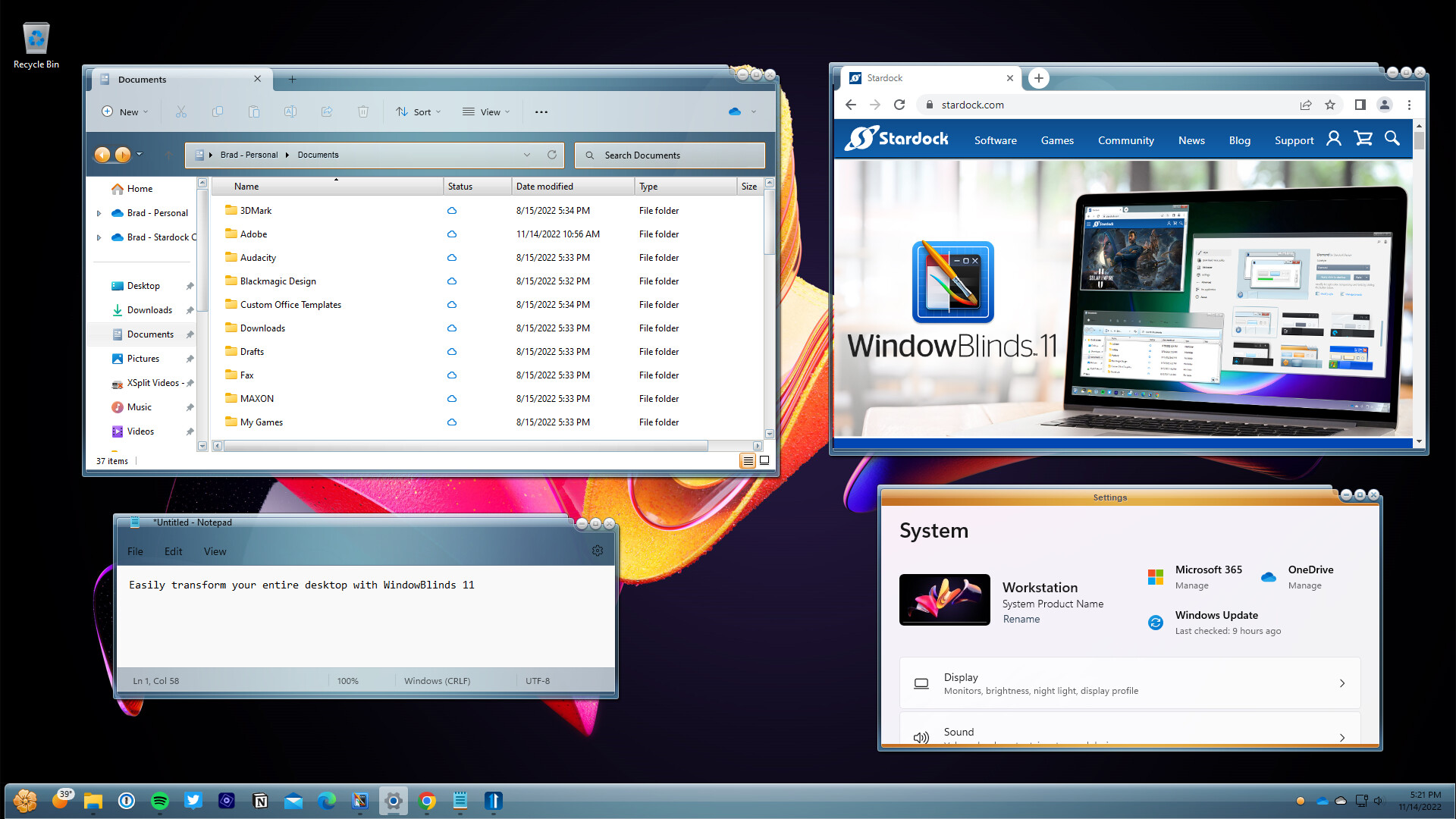
Make your Windows 10 and 11 desktops unique with WindowBlinds 11! Customize the Start menu*, taskbar, window frames, and control buttons on up to five devices. WindowBlinds lets you customize desktop interface themes called skins to personalize the look and feel of your desktop.
Alternative skins: Select skins have multiple sub-styles that can be applied to suit your personal tastes. You can also save your style combinations as presets for quick access later.
Integrate with Start11: When paired with Start11, you can theme your entire desktop to look like an alternative operating system such as Windows XP.
Fonts: Add some character to your skins with unique fonts.
Transparency: Make your skins the center of attention, or allow them to blend into your backgrounds by increasing transparency.
Presets: Save changes to your skins by creating a preset. Presets enable you to access previous customizations and apply them quickly. Love tweaking your creations? Presets can be updated and deleted.
Per application skinning: Choose skins for each of your application types. Make your word processing software stand out from your design programs by giving each one a unique look with a different skin or color scheme. Exclude applications from WindowBlinds or choose other compatibility settings to fit your style.
Stylize
Visual styles: Select a skin from the many included with WindowBlinds, or browse thousands of skins from right within the app.Alternative skins: Select skins have multiple sub-styles that can be applied to suit your personal tastes. You can also save your style combinations as presets for quick access later.
Integrate with Start11: When paired with Start11, you can theme your entire desktop to look like an alternative operating system such as Windows XP.
Customize
Add color: Personalize any skin by choosing from a huge array of color options.Fonts: Add some character to your skins with unique fonts.
Transparency: Make your skins the center of attention, or allow them to blend into your backgrounds by increasing transparency.
Apply
Easy set-up: Quickly and intuitively navigate the configuration menu to easily personalize your desktop. Instantly preview your selections and adjustments before you apply them.Presets: Save changes to your skins by creating a preset. Presets enable you to access previous customizations and apply them quickly. Love tweaking your creations? Presets can be updated and deleted.
Per application skinning: Choose skins for each of your application types. Make your word processing software stand out from your design programs by giving each one a unique look with a different skin or color scheme. Exclude applications from WindowBlinds or choose other compatibility settings to fit your style.
스크린샷



접속자 수
가격 정보
예측 판매량
75+
개
예측 매출
2,325,000+
원
추가 콘텐츠 (DLC)

업적 목록
업적 정보가 없습니다.
요약 정보
스팀 리뷰 (1)
총 리뷰: 1
긍정: 0
부정: 1
1 user reviews
다크모드 이상하게되고 심지어리브레오피스 망가짐 다크모드 잘못 적용하면 매우
⏱️ 0시간 24분
📅 2025-12-03