
게임 정보
| 출시일: | 2025년 7월 15일 |
| 개발사: | The Open Gamer |
| 퍼블리셔: | The Open Gamer |
| 플랫폼: | Windows |
| 출시 가격: | 8,900 원 |
| 장르: | 액션, 유틸리티 |

업적 목록
업적 정보가 없습니다.
추천 게임

게임 소개
Use any image as your crosshair: animated GIFs, transparent PNGs, and many other formats.
My Crosshair is a multi-module crosshair overlay application for Windows. It allows you to use any image as a crosshair with various customization and share options.
🎯 FEATURES
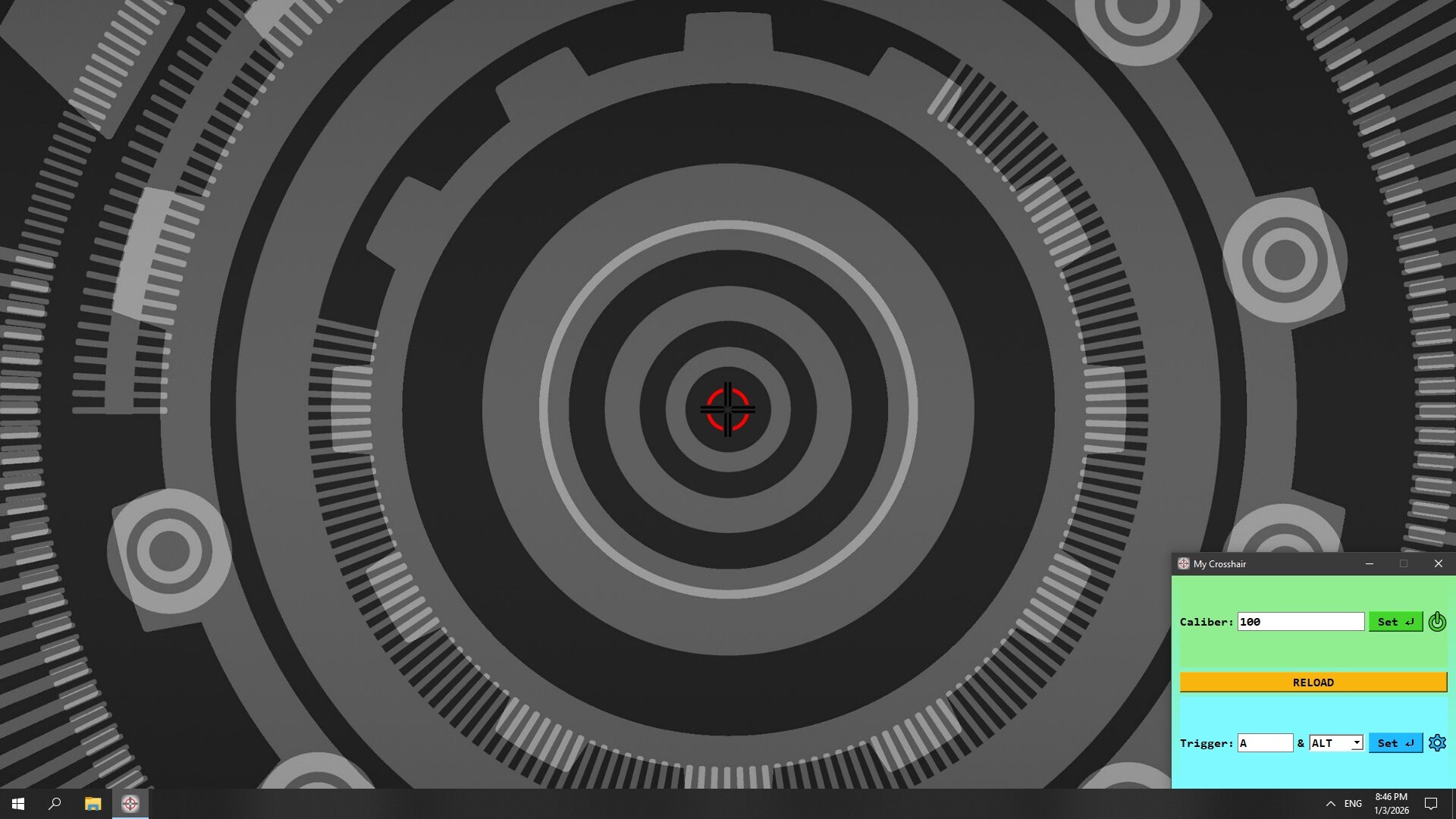
Omnivorousness: Use any image as a crosshair – it supports both static BMP, JPEG, PNG and animated GIF formats
Aiming accuracy: The center of the image is always in the center of your screen, even on a massive 8K setup
Full DPI awareness: Scale your crosshair from a pixel to the image size retaining its quality at any resolution
Game Compatibility: Support for Windowed and Fullscreen Windowed display modes
Image Editor: Turn any BMP, HEIC, JPEG, PNG, or WEBP images into your brand-new, fine-tuned crosshairs
Workshop Integration: Publish your animated or static crosshairs in just a few clicks
🏅 USAGE
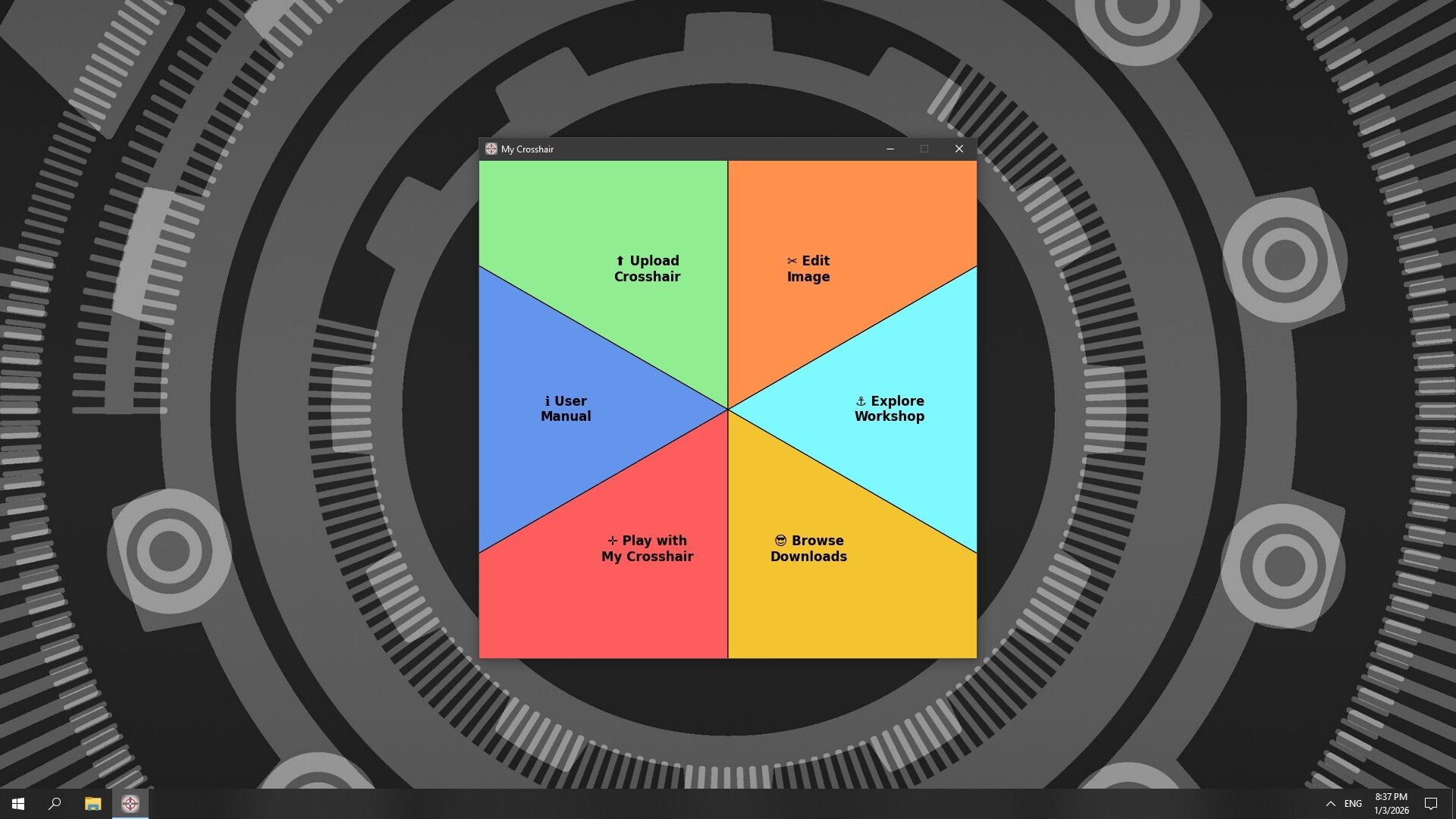
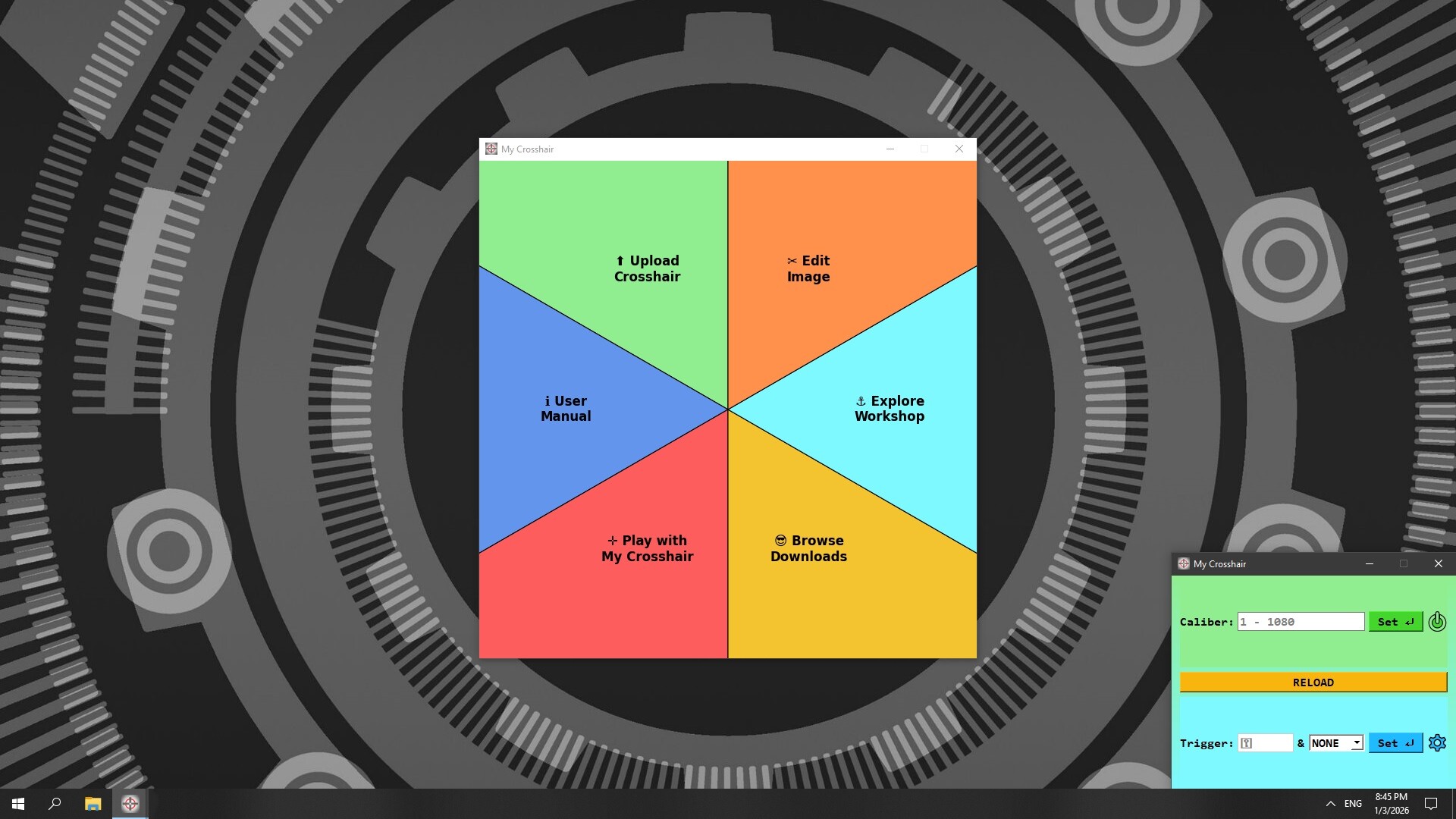
Instead of a monolithic structure, My Crosshair organizes each feature into its own dedicated module:
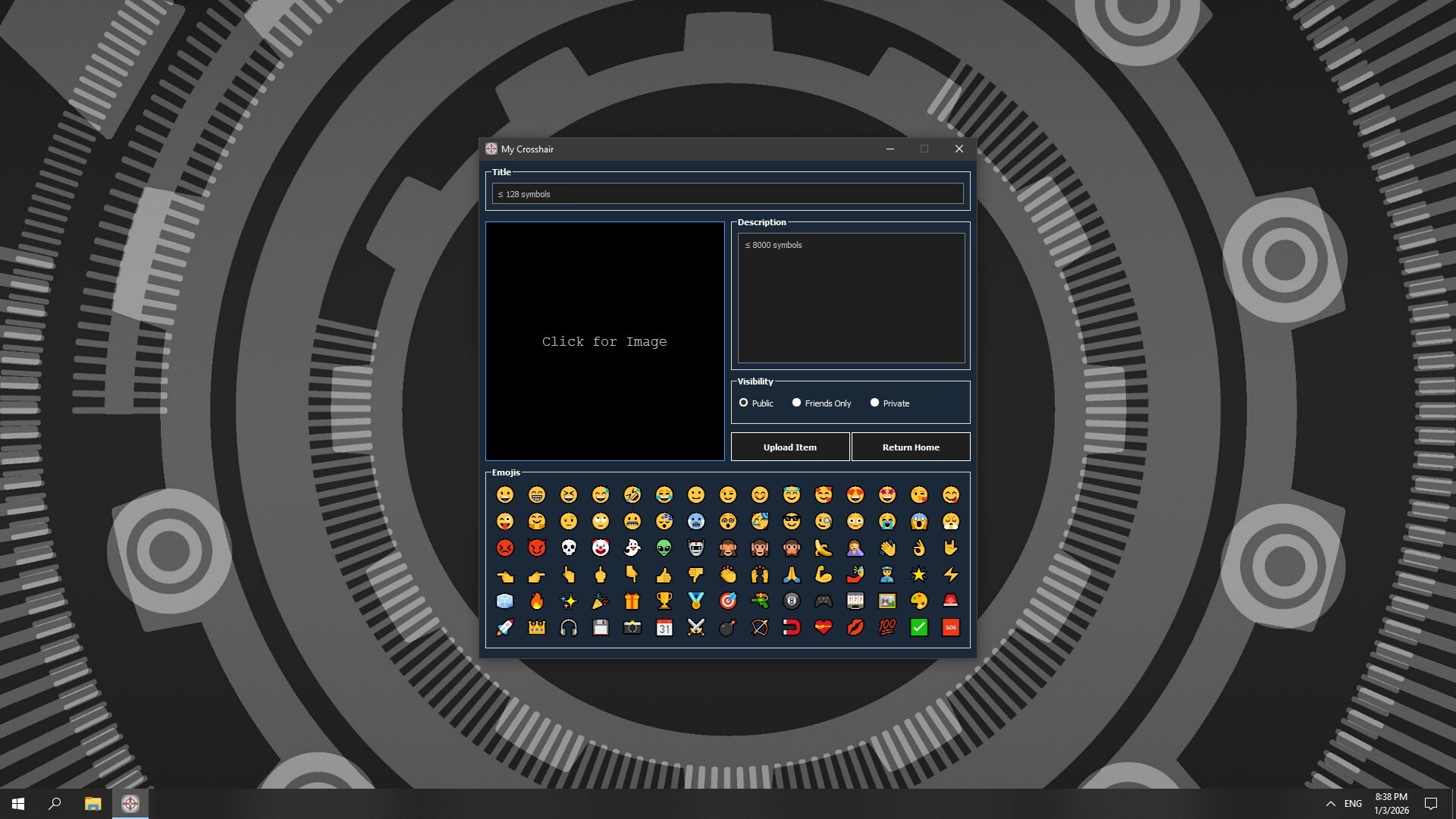
Upload Crosshair: Workshop uploader for My Crosshair
Edit Image: Image Editor tool for your crosshair images
User Manual: Access the user manual for My Crosshair
Explore Workshop: Explore My Beautiful Crosshair Hub
Play with My Crosshair: Play games with your crosshairs
Browse Downloads: Access all the crosshairs you have subscribed for
This isolation ensures that resource-intensive tasks run independently. This guarantees that your in-game overlay remains responsive and lag-free at all times.
스크린샷


접속자 수
가격 정보
업적 목록
업적 정보가 없습니다.
요약 정보
스팀 리뷰
스팀 리뷰가 존재하지 않습니다.