
Snapshot - DSLR Camera Control
Chris Hopkin
2015년 7월 23일
6
조회수
0
리뷰 수
0+
추정 판매량
N/A
긍정 평가
게임 정보
| 출시일: | 2015년 7월 23일 |
| 개발사: | Chris Hopkin |
| 퍼블리셔: | Chris Hopkin |
| 플랫폼: | Windows |
| 출시 가격: | 3,300 원 |
| 장르: | 사진 편집, 소프트웨어 교육, 유틸리티 |

업적 목록
업적 정보가 없습니다.
추천 게임
Just Alone
2015년 7월 27일
Jet Racing Extreme Demo
2015년 11월 24일

1979 Revolution: Black Friday
2016년 4월 4일
게임 소개
Remotely control your digital SLR camera while tethered to your computer.
상세 설명
Introducing Snapshot, an application that allows you to remotely control your digital SLR camera while tethered to your computer.
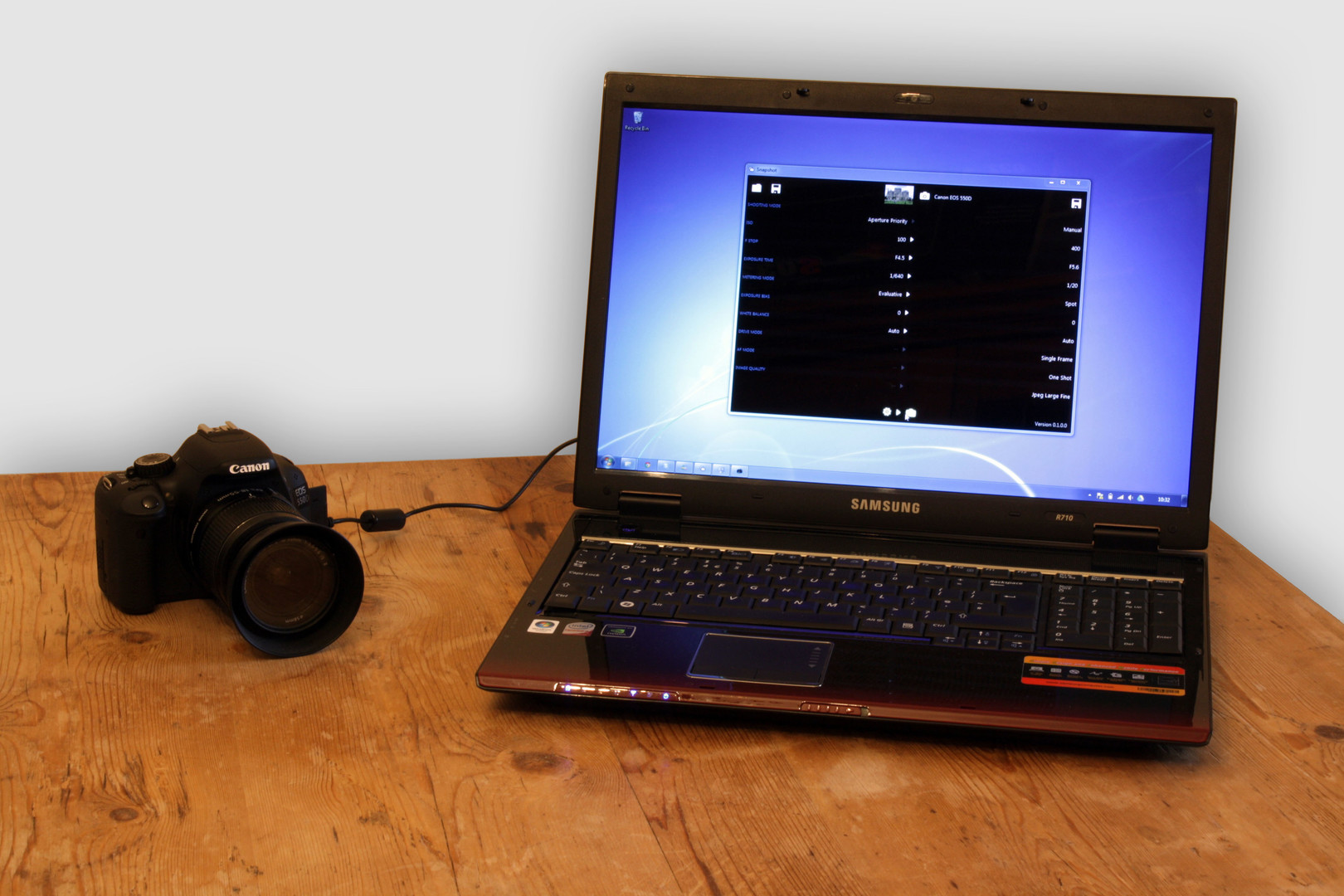
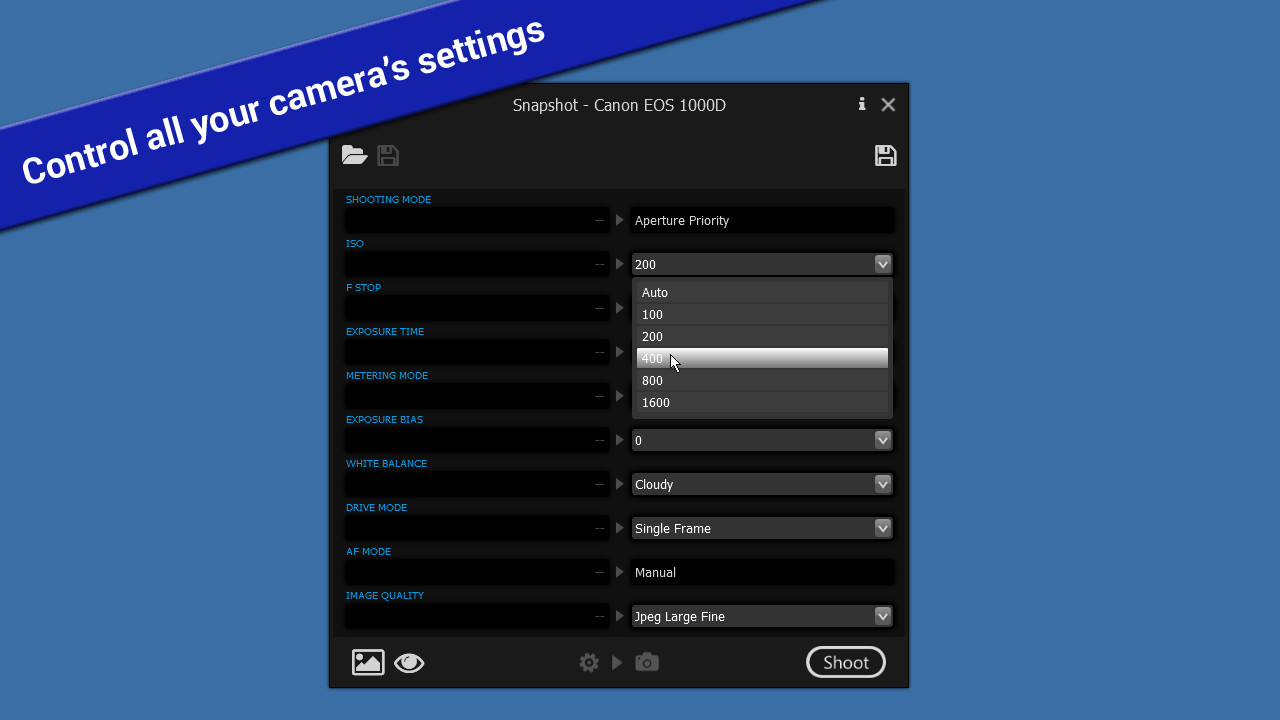
Snapshot requires a Canon digital SLR camera connected to your computer via USB. Once connected, the simple to use Snapshot interface allows you to view and change your camera's current settings using the drop-down boxes.
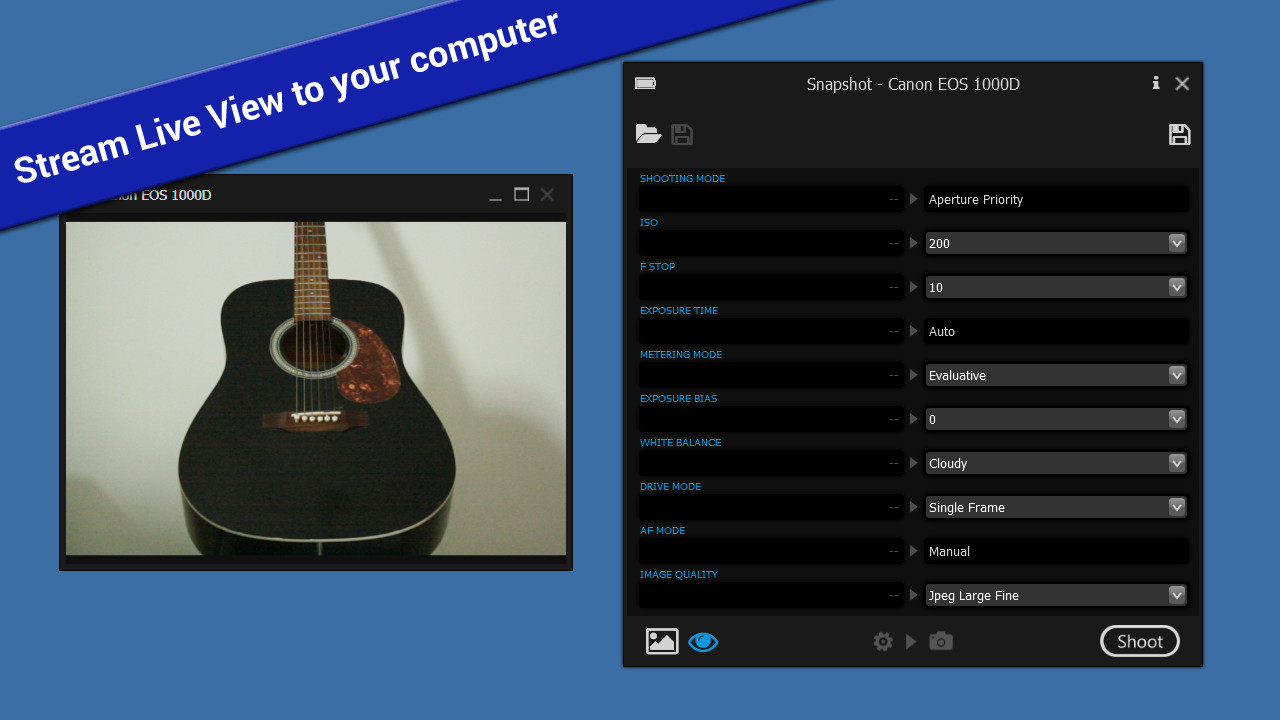
For cameras that support Live View mode, you can now stream the Live View to your computer.
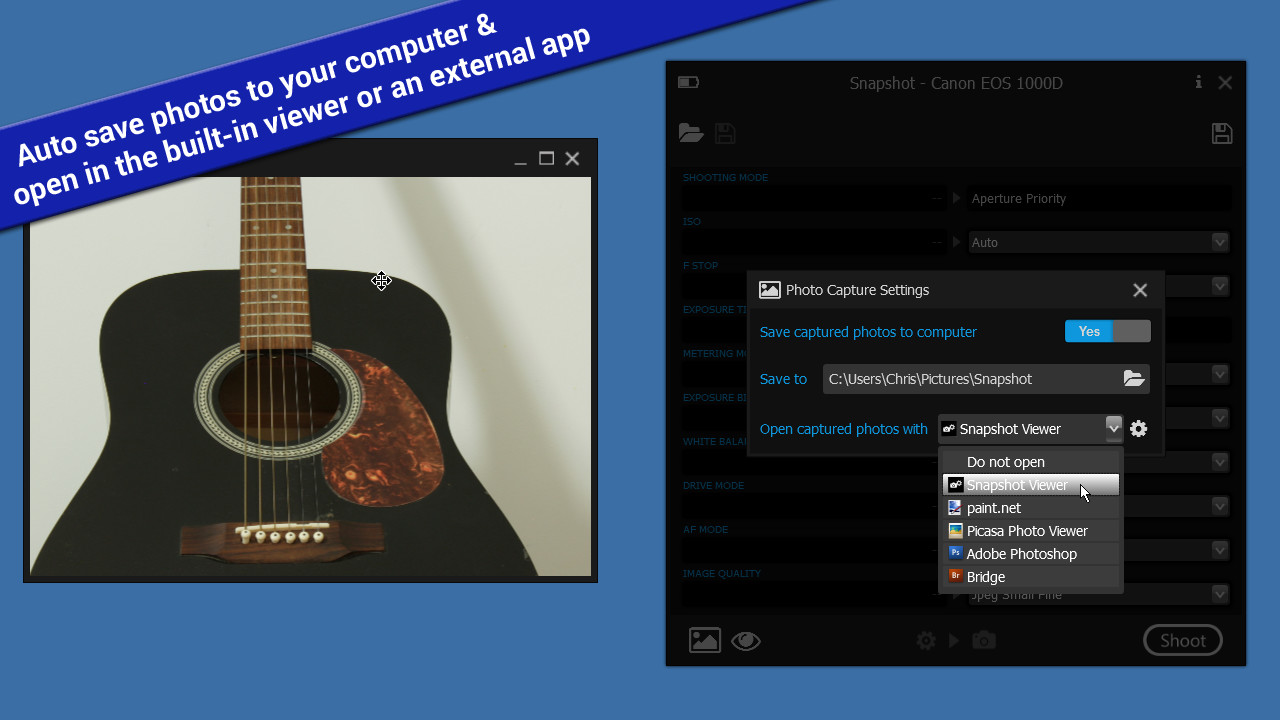
Snapshot gives you the option automatically save captured photos to a folder on your computer.
Captured photos can be displayed on your computer using the built-in Snapshot Viewer, or choose your preferred photo viewing app, e.g. Photoshop.
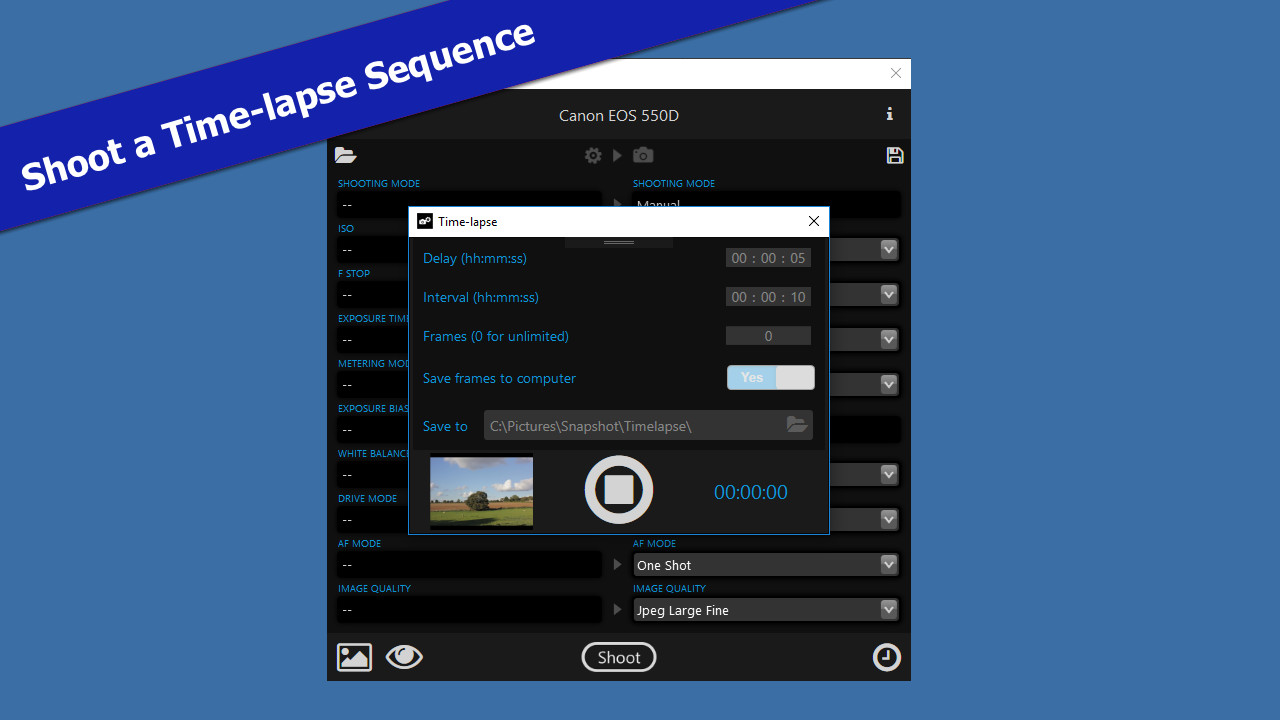
Shoot a time-lapse sequence with the new time-lapse controls - configure the Interval between each frame as well as an initial Delay before capturing the first frame, and choose whether to capture a fixed or unlimited number of Frames.
You can also export a 'snapshot' of your camera's current settings which you can later apply back to your camera quickly and easily.
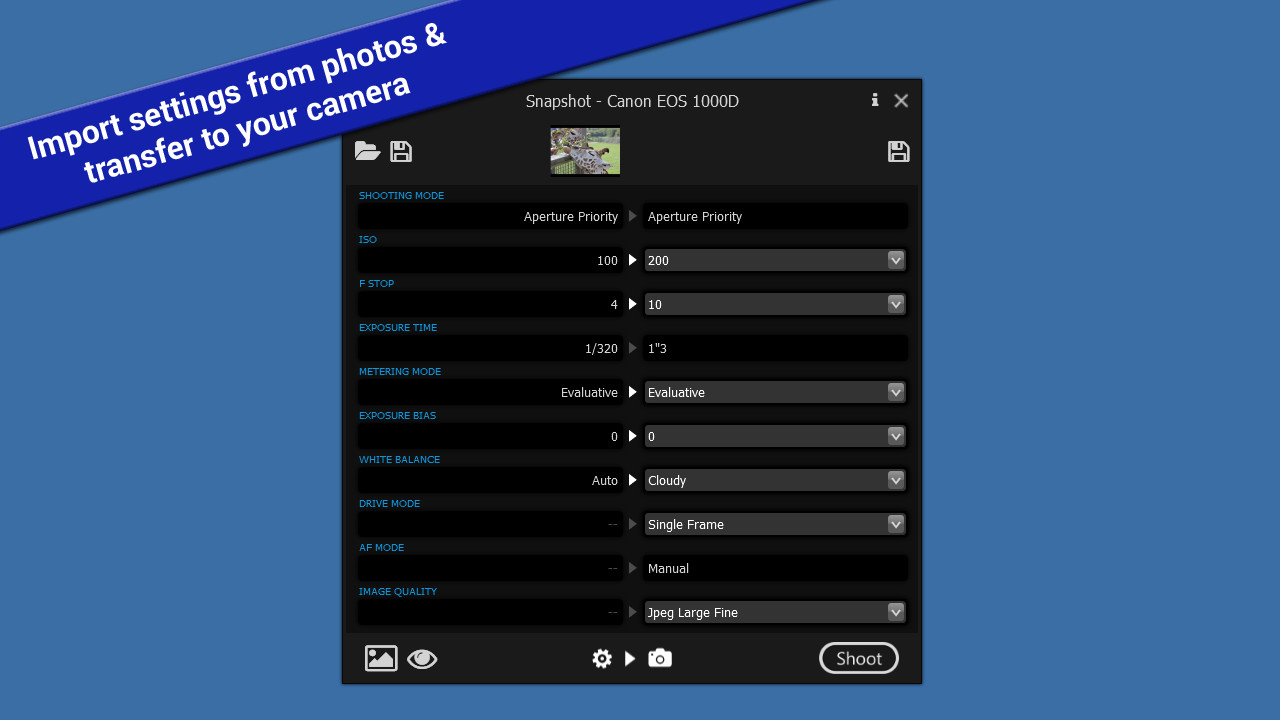
Import camera settings from digital photographs by extracting the settings (ISO, F Stop, Exposure Time, etc) that were used when the photograph was taken, and set up your camera in exactly the same way. This can give you a good starting point for taking similar shots, and help you get to grips with the overwhelming range of settings your digital SLR camera has to offer
Snapshot currently supports the following Canon camera models:
- Remotely control camera settings
- Remotely fire the shutter release
- Stream Live View to your computer
- Shoot a time-lapse sequence
- Auto save and view photos on your computer as they are taken
- Import/Export camera settings (Snapshot profiles)
- Import camera settings from digital photographs
Snapshot requires a Canon digital SLR camera connected to your computer via USB. Once connected, the simple to use Snapshot interface allows you to view and change your camera's current settings using the drop-down boxes.
For cameras that support Live View mode, you can now stream the Live View to your computer.
Snapshot gives you the option automatically save captured photos to a folder on your computer.
Captured photos can be displayed on your computer using the built-in Snapshot Viewer, or choose your preferred photo viewing app, e.g. Photoshop.
Shoot a time-lapse sequence with the new time-lapse controls - configure the Interval between each frame as well as an initial Delay before capturing the first frame, and choose whether to capture a fixed or unlimited number of Frames.
You can also export a 'snapshot' of your camera's current settings which you can later apply back to your camera quickly and easily.
Import camera settings from digital photographs by extracting the settings (ISO, F Stop, Exposure Time, etc) that were used when the photograph was taken, and set up your camera in exactly the same way. This can give you a good starting point for taking similar shots, and help you get to grips with the overwhelming range of settings your digital SLR camera has to offer
Supported Cameras
Snapshot currently supports the following Canon camera models:
- EOS 1D Mk III
- EOS 1Ds Mk III
- EOS 1D Mk IV
- EOS 1D X
- EOS 1D X Mk II
- EOS 1D C
- EOS 5D Mk II
- EOS 5D Mk III
- EOS 5D Mk IV
- EOS 5DS
- EOS 5DS R
- EOS 6D
- EOS 7D
- EOS 7D Mk II
- EOS 40D
- EOS 50D
- EOS 60D
- EOS 70D
- EOS 80D
- EOS 100D / Rebel SL1 / Kiss X7
- EOS 450D / Rebel XSi / Kiss X2
- EOS 500D / Rebel T1i / Kiss X3
- EOS 550D / Rebel T2i / Kiss X4
- EOS 600D / Rebel T3i / Kiss X5
- EOS 650D / Rebel T4i / Kiss X6i
- EOS 700D / Rebel T5i / Kiss X7i
- EOS 750D / Rebel T6i / Kiss X8i
- EOS 760D / Rebel T6s / EOS 8000D
- EOS 1000D / Rebel XS / Kiss F
- EOS 1100D / Rebel T3 / Kiss X50
- EOS 1200D / Rebel T5 / Kiss X70
- EOS 1300D / Rebel T6 / Kiss X80
스크린샷
접속자 수
가격 정보
업적 목록
업적 정보가 없습니다.
요약 정보
스팀 리뷰
스팀 리뷰가 존재하지 않습니다.