
Multiscreens
Phylliida
2016년 8월 17일
5
조회수
0
리뷰 수
0+
추정 판매량
N/A
긍정 평가
게임 정보
| 출시일: | 2016년 8월 17일 |
| 개발사: | Phylliida |
| 퍼블리셔: | Phylliida |
| 플랫폼: | Windows |
| 출시 가격: | 10,500 원 |
| 장르: | 유틸리티, 앞서 해보기 |

링크
업적 목록
업적 정보가 없습니다.
추천 게임

69 Ways to Kill a Zombie
2017년 6월 8일

Wave Magic VR
2016년 12월 29일

Make America Great Again
2016년 9월 15일
게임 소개
A program in VR that lets you have as many virtual monitors as you want.
상세 설명
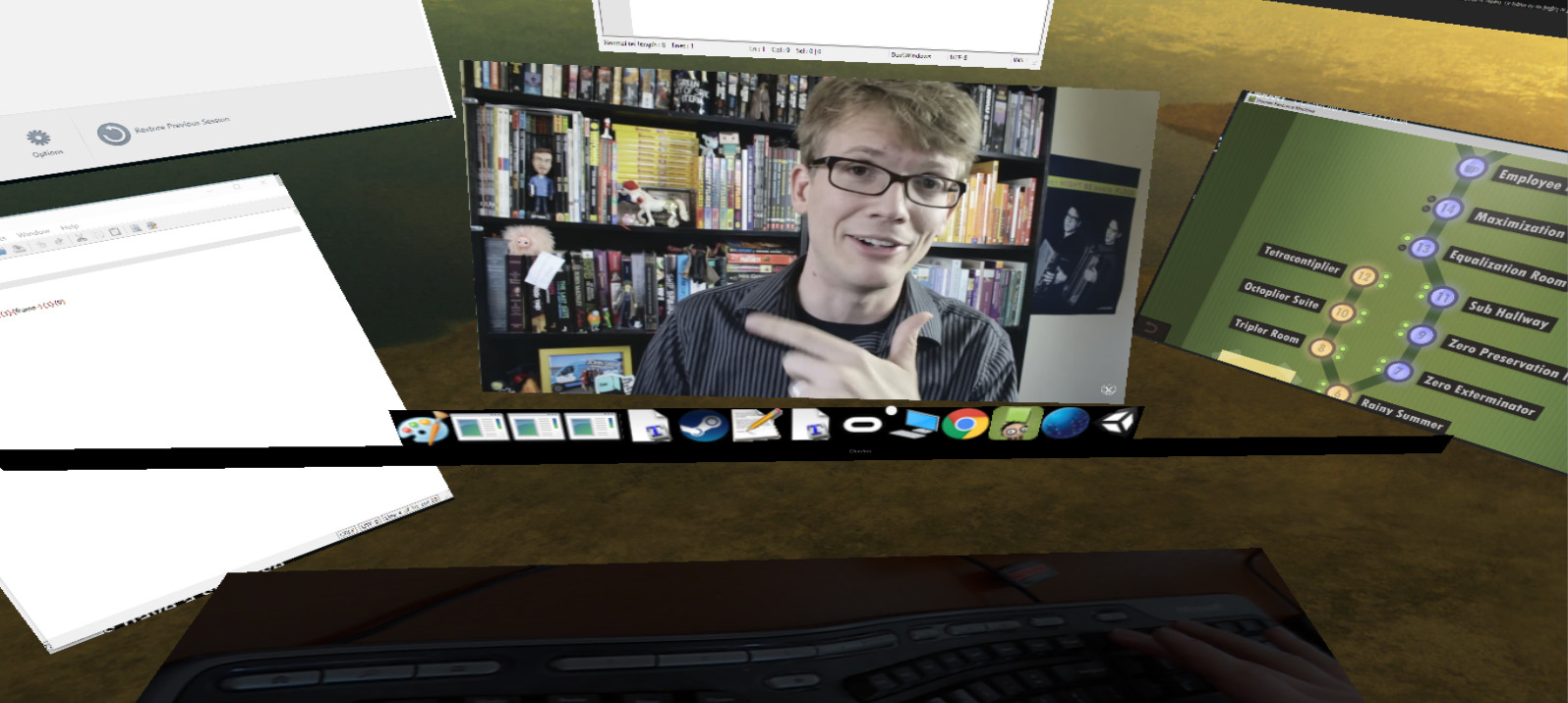
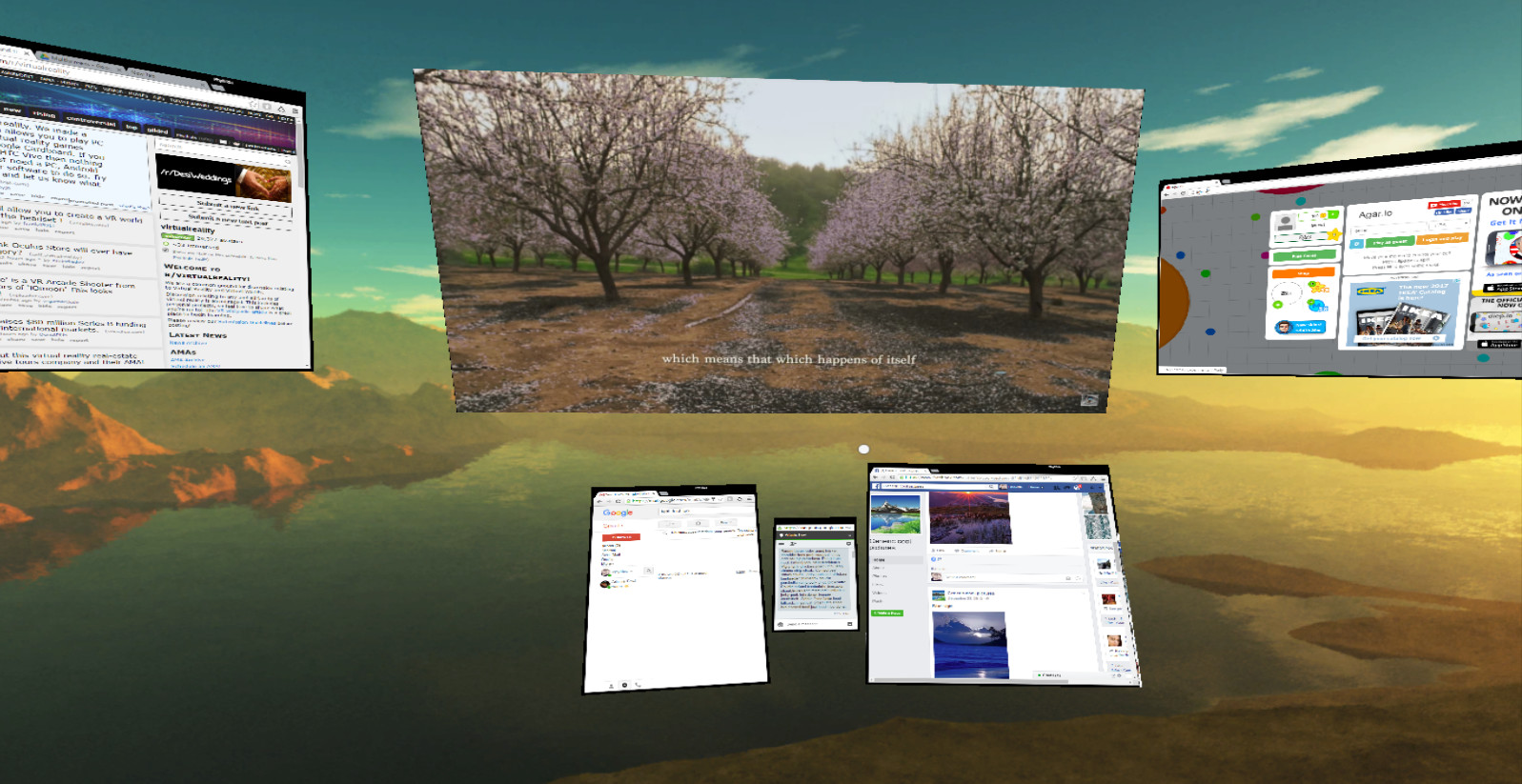
Multiscreens is a early-access program that lets you have as many screens as you want in VR. Specifically, each program is its own screen and can be moved around as desired.
Right now you can:
- Change the target framerate of each window captured
- Play multiple videos simultaneously (just make sure if you are in chrome to disable Hardware Acceleration in advanced settings) while playing a game
- Turn on supersampling
- Control everything with your mouse which leaves your keyboard and controller free for typical use (there is also a mouse sensitivity setting)
- Move windows freely in a 3D space around you and make them bigger or smaller as desired
- Capture right click menus and other context menus
- Capture the mouse on the currently active window
- No Headless Ghosts are required, this program works fine when you simply have a single physical monitor (or headless ghost) plugged in
- Minimize (hide) windows as desired
- Change focus between windows with a single click
- Use a webcam that's displayed below you to see your keyboard while in VR
- Multiscreens can technically capture every window, but some it can only capture while they are currently focused
- There is a "virtual taskbar" that allows you to bring up programs you have opened by clicking on their icons below
- You can change this Taskbar's position
- Reset view
Current limitations (in order of planned feature addition):
- Screens can't be curved yet
- You generally need to open windows before opening Multiscreens, it's difficult to start programs while in Multiscreens (I'm going to add a search bar to open any program you currently have installed and allow you to "pin" programs to your taskbar)
- Can't capture the entire desktop
- Vive controller support doesn't exist yet, everything is currently controlled with your mouse
Enjoy, and let me know what you think! I'm happy to listen to feedback and will try and make this the best product for all of you as possible :)
Right now you can:
- Change the target framerate of each window captured
- Play multiple videos simultaneously (just make sure if you are in chrome to disable Hardware Acceleration in advanced settings) while playing a game
- Turn on supersampling
- Control everything with your mouse which leaves your keyboard and controller free for typical use (there is also a mouse sensitivity setting)
- Move windows freely in a 3D space around you and make them bigger or smaller as desired
- Capture right click menus and other context menus
- Capture the mouse on the currently active window
- No Headless Ghosts are required, this program works fine when you simply have a single physical monitor (or headless ghost) plugged in
- Minimize (hide) windows as desired
- Change focus between windows with a single click
- Use a webcam that's displayed below you to see your keyboard while in VR
- Multiscreens can technically capture every window, but some it can only capture while they are currently focused
- There is a "virtual taskbar" that allows you to bring up programs you have opened by clicking on their icons below
- You can change this Taskbar's position
- Reset view
Current limitations (in order of planned feature addition):
- Screens can't be curved yet
- You generally need to open windows before opening Multiscreens, it's difficult to start programs while in Multiscreens (I'm going to add a search bar to open any program you currently have installed and allow you to "pin" programs to your taskbar)
- Can't capture the entire desktop
- Vive controller support doesn't exist yet, everything is currently controlled with your mouse
Enjoy, and let me know what you think! I'm happy to listen to feedback and will try and make this the best product for all of you as possible :)
스크린샷


접속자 수
가격 정보
업적 목록
업적 정보가 없습니다.
요약 정보
스팀 리뷰
스팀 리뷰가 존재하지 않습니다.