

MovieMator Video Editor Pro - Movie Maker, Video Editing Software
EffectMatrix
2018년 12월 17일
4
조회수
5
리뷰 수
375+
추정 판매량
60%
긍정 평가
게임 정보
| 출시일: | 2018년 12월 17일 |
| 개발사: | EffectMatrix |
| 퍼블리셔: | EffectMatrix |
| 플랫폼: | Windows, Mac |
| 출시 가격: | 15,500 원 |
| 장르: | 회계 업무, 애니메이션과 모델링, 오디오 제작, 디자인과 일러스트레이션, 교육, 사진 편집, 소프트웨어 교육, 유틸리티, 동영상 제작, 웹 퍼블리싱, 게임 개발 |

업적 목록
업적 정보가 없습니다.
추천 게임

Nebula Realms
2022년 6월 22일

Touch Down Football Solitaire
2018년 8월 28일

Ghost in the pool
2021년 1월 27일
게임 소개
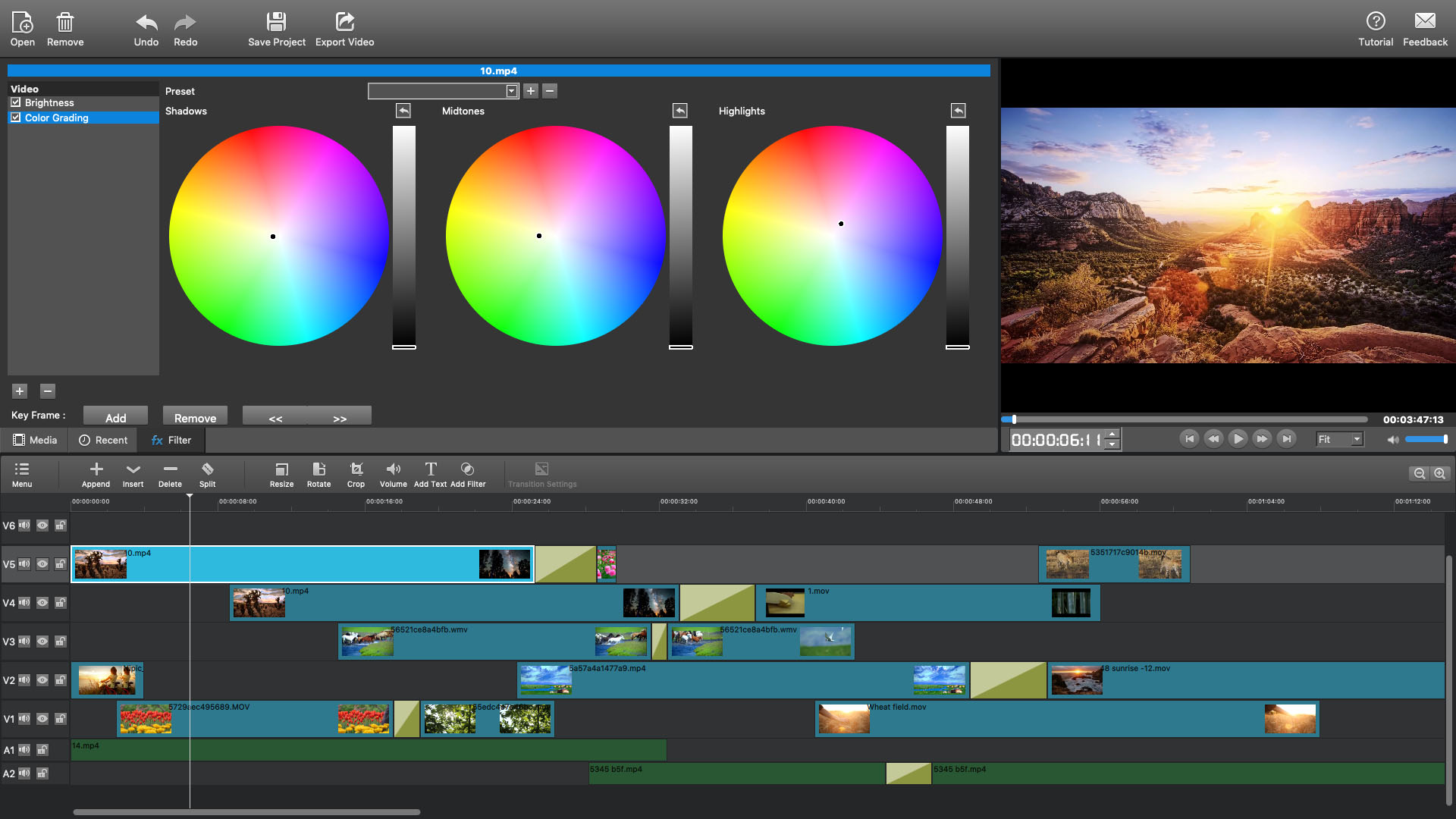
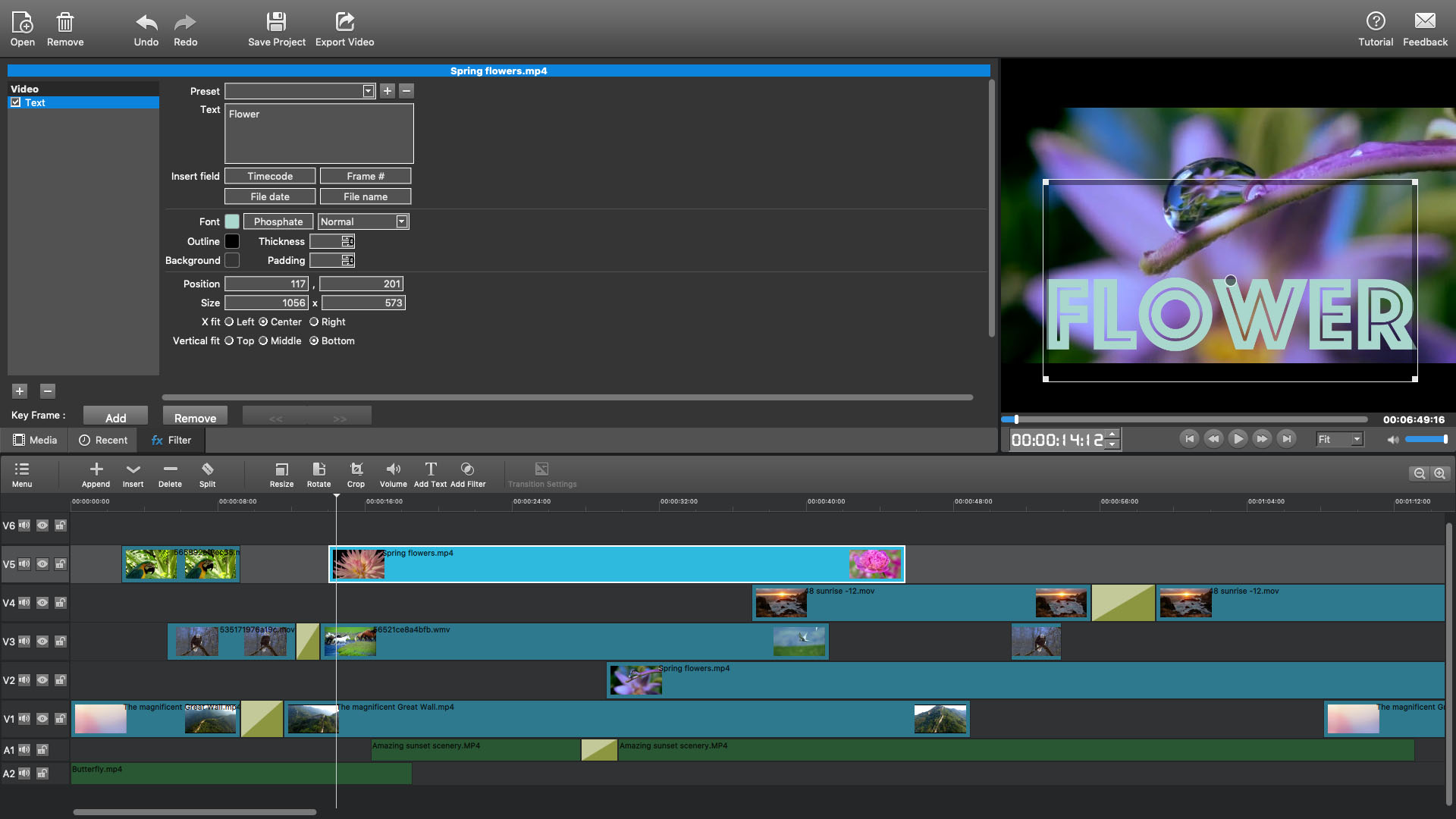
MovieMator Video Editor Pro is a handy and useful video editing software. It easily creates a variety of eye-catching animation effects with keyframes and provides the basic editing features like trimming, cropping, splitting, rotating, adding subtitle.
상세 설명
Contact market@effectmatrix.com for any problem or proposal regarding Moviemator. We are pleased to assist you.
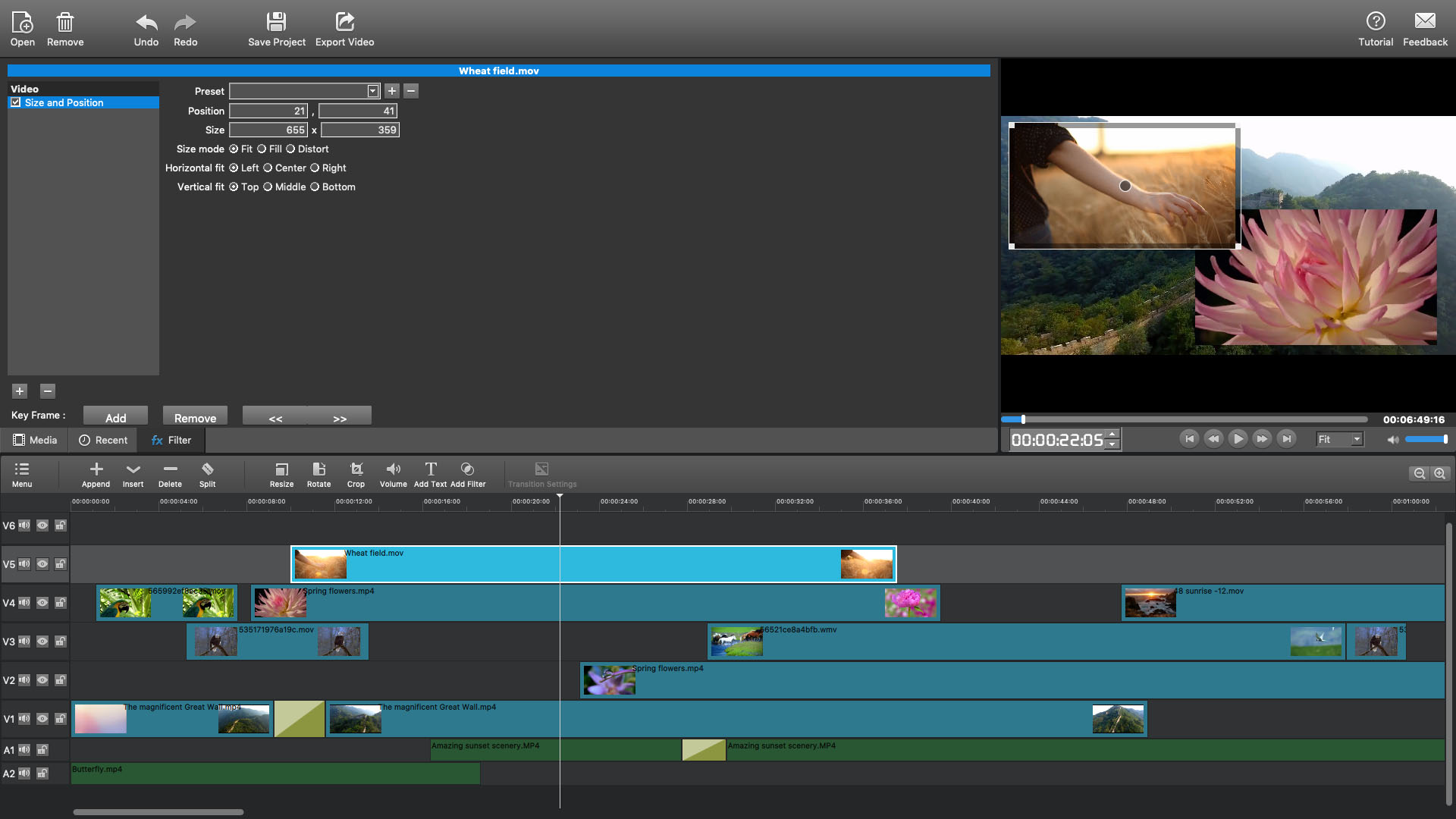
MovieMator Video Editor Pro is a handy and useful video editing software. It easily creates a variety of eye-catching animation effects with keyframes and provides the basic editing features like trimming, cropping, splitting, rotating, adding subtitle. It also brings to the table exceptionally advanced editing functionalities like video overlay (PIP), stabilization, etc.
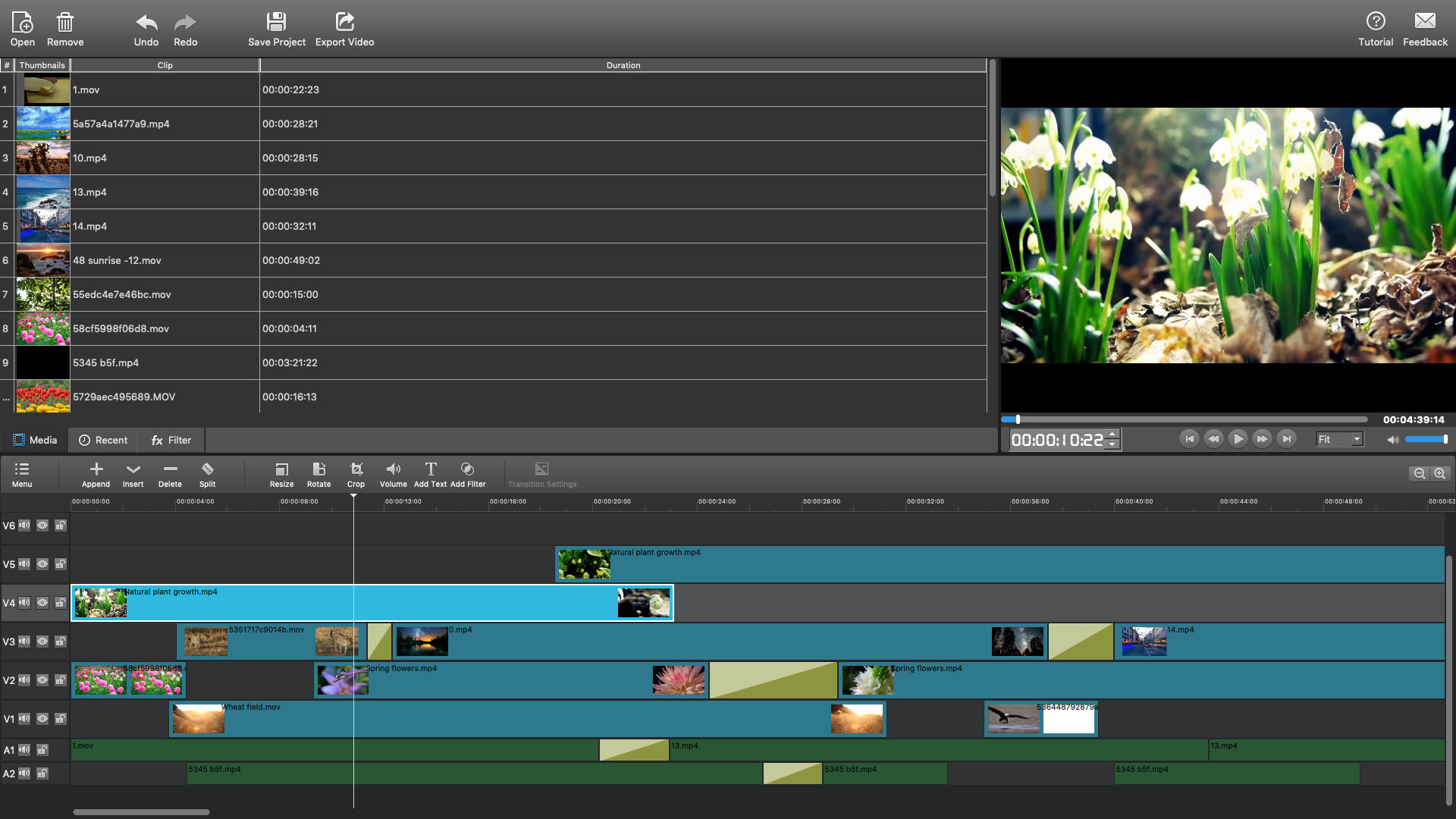
MovieMator Video Editor Pro provides unlimited video and audio tracks for editing large projects. Moreover, it fully supports all media formats like 4K UltraHD, H.265, MP3, OGG, JPG, SVG, etc. and is optimized for the decoding of different formats, which significantly improved the decoding speed and quality.
Automatic Keyframe Animation
• Automatically insert animation keyframes, making it easy to master keyframe professional animation techniques.
• With keyframe animation, dynamic effects are all under your control.
Easily Edit Videos/Audios/Images
• Unlimited video tracks and audio tracks help users handle all projects.
• Basic editing features: merging, splitting, rotating, cropping, trimming, etc.
• Seamlessly assemble clips and adjust them frame by frame in the Timeline.
• Separate the audio track from a video file with ease.
• Create colorful slideshows with photos, music and fades.
Create Fantastic Animation Effects with Keyframe Animation Technology
• 40+ fixed filter effects: Blur, Old Film, Sharpen, Stabilize, Vignette, White Balance...
• Create fantastic animation effects with keyframe animation technology.
• Play multiple videos in the same time with Picture-in-Picture effect.
• Stabilize your shaky Action Camera footage in one click.
• Create Fast/Slow-motion video by adjusting the playing speed as you like.
• Enhance your movie by adding personalized subtitles and dazzling transitions.
• 20+ dazzling transitions: Dissolve, Iris Circle, Clock Top, Cut, Bar Vertical...
Make Personalized Home Movies with Creativity
• fixed filter effects: Resize, Rotate, Size and Position, Gain Volume...
• Play multiple videos in the same time with Picture-in-Picture effect.
• Create Fast/Slow-motion video by adjusting the playing speed as you like.
• Support volume adjustment and various audio filters to create perfect sound effect.
• Set fade in/out time for videos and audios with freedom.
• Enhance your movie by adding personalized subtitles and dazzling transitions.
Fully Support Media Files of Any Type
• Import all videos/photos shot by iPhone 6s, GoPro, camcorder or other devices.
• Support videos/images downloaded from Facebook, Instagram, Flickr and more sites.
• Support videos with voiceover that recorded by any screen recording software.
• Support all popular video/audio/image formats: MP4, AVI, MPEG, WMV, MKV, MPG, RMVB, M4V, 3GP, FLV, TS, M4V, VOB, F4V, MP3, WAV, MKA, OGG, FLAC, AAC, JPG, PNG, TIF, BMP, SVG...
• Work natively with a broad range of formats including ProRes, RED, XAVC, AVCHD, H.264 from DSLR and more.
Extremely Intuitive and Friendly Interactive Operation
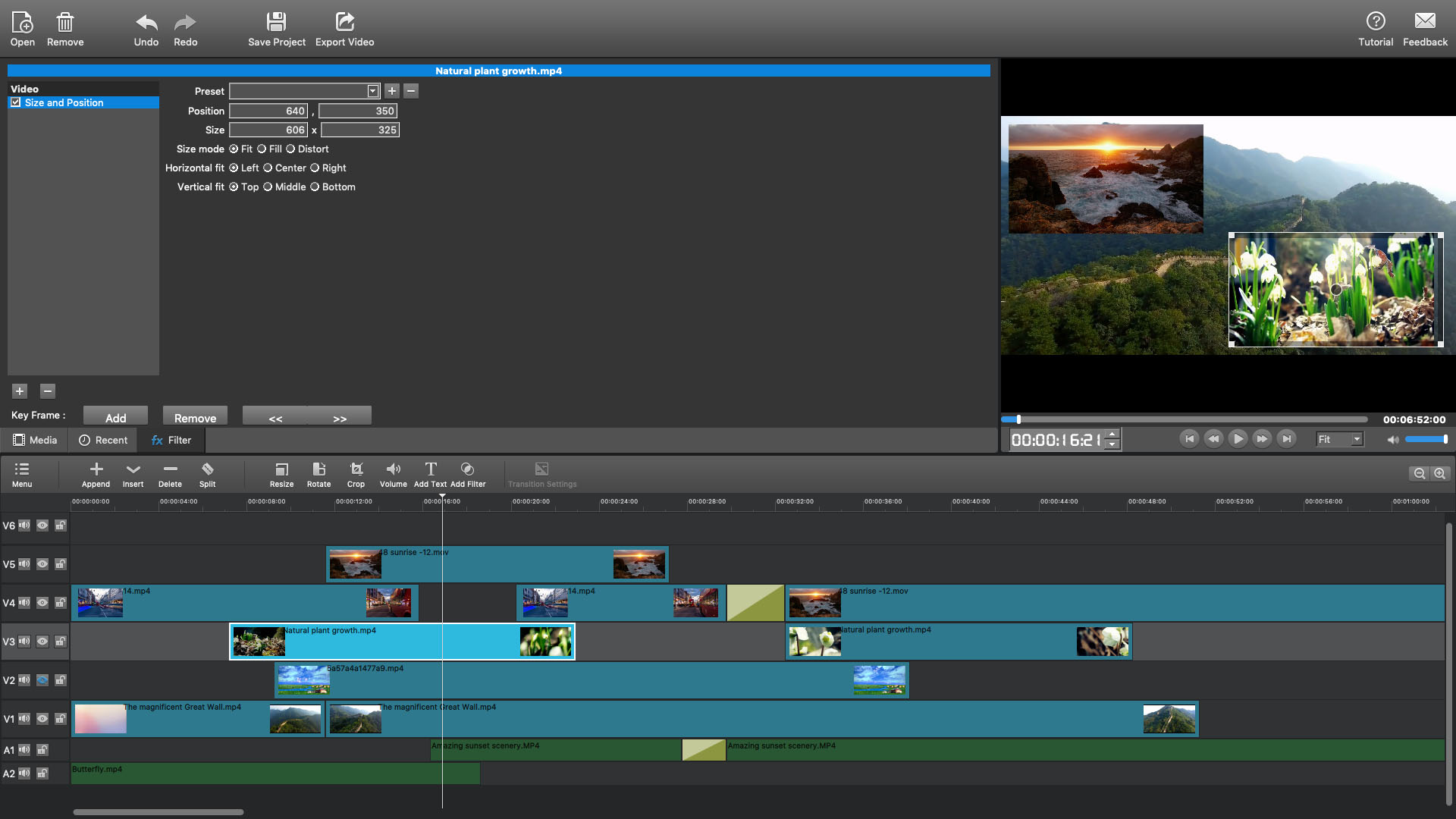
• The interface of MovieMator is intuitive and Real-time preview feature ensures what you see is what you get.
• Arrange and Trim all elements on the timeline by dragging and dropping.
• Easy-to-use cut, copy, and paste operations.
• Hide, mute, and lock the video /audio track with one-click.
Powerful Project Preservation and Video Output Capability
• Incredibly fast export of HD videos in 200+ media formats for playback on all devices.
• Customize output parameters like resolution, frame rate, aspect ratio, encoding and etc.
• Save the file as a project for direct editing next time.
• Auto save the project when the window is closed unexpectedly.
MovieMator Video Editor Pro is a handy and useful video editing software. It easily creates a variety of eye-catching animation effects with keyframes and provides the basic editing features like trimming, cropping, splitting, rotating, adding subtitle. It also brings to the table exceptionally advanced editing functionalities like video overlay (PIP), stabilization, etc.
MovieMator Video Editor Pro provides unlimited video and audio tracks for editing large projects. Moreover, it fully supports all media formats like 4K UltraHD, H.265, MP3, OGG, JPG, SVG, etc. and is optimized for the decoding of different formats, which significantly improved the decoding speed and quality.
Automatic Keyframe Animation
• Automatically insert animation keyframes, making it easy to master keyframe professional animation techniques.
• With keyframe animation, dynamic effects are all under your control.
Easily Edit Videos/Audios/Images
• Unlimited video tracks and audio tracks help users handle all projects.
• Basic editing features: merging, splitting, rotating, cropping, trimming, etc.
• Seamlessly assemble clips and adjust them frame by frame in the Timeline.
• Separate the audio track from a video file with ease.
• Create colorful slideshows with photos, music and fades.
Create Fantastic Animation Effects with Keyframe Animation Technology
• 40+ fixed filter effects: Blur, Old Film, Sharpen, Stabilize, Vignette, White Balance...
• Create fantastic animation effects with keyframe animation technology.
• Play multiple videos in the same time with Picture-in-Picture effect.
• Stabilize your shaky Action Camera footage in one click.
• Create Fast/Slow-motion video by adjusting the playing speed as you like.
• Enhance your movie by adding personalized subtitles and dazzling transitions.
• 20+ dazzling transitions: Dissolve, Iris Circle, Clock Top, Cut, Bar Vertical...
Make Personalized Home Movies with Creativity
• fixed filter effects: Resize, Rotate, Size and Position, Gain Volume...
• Play multiple videos in the same time with Picture-in-Picture effect.
• Create Fast/Slow-motion video by adjusting the playing speed as you like.
• Support volume adjustment and various audio filters to create perfect sound effect.
• Set fade in/out time for videos and audios with freedom.
• Enhance your movie by adding personalized subtitles and dazzling transitions.
Fully Support Media Files of Any Type
• Import all videos/photos shot by iPhone 6s, GoPro, camcorder or other devices.
• Support videos/images downloaded from Facebook, Instagram, Flickr and more sites.
• Support videos with voiceover that recorded by any screen recording software.
• Support all popular video/audio/image formats: MP4, AVI, MPEG, WMV, MKV, MPG, RMVB, M4V, 3GP, FLV, TS, M4V, VOB, F4V, MP3, WAV, MKA, OGG, FLAC, AAC, JPG, PNG, TIF, BMP, SVG...
• Work natively with a broad range of formats including ProRes, RED, XAVC, AVCHD, H.264 from DSLR and more.
Extremely Intuitive and Friendly Interactive Operation
• The interface of MovieMator is intuitive and Real-time preview feature ensures what you see is what you get.
• Arrange and Trim all elements on the timeline by dragging and dropping.
• Easy-to-use cut, copy, and paste operations.
• Hide, mute, and lock the video /audio track with one-click.
Powerful Project Preservation and Video Output Capability
• Incredibly fast export of HD videos in 200+ media formats for playback on all devices.
• Customize output parameters like resolution, frame rate, aspect ratio, encoding and etc.
• Save the file as a project for direct editing next time.
• Auto save the project when the window is closed unexpectedly.
스크린샷
접속자 수
가격 정보
예측 판매량
375+
개
예측 매출
5,812,500+
원
업적 목록
업적 정보가 없습니다.
요약 정보
스팀 리뷰 (5)
총 리뷰: 5
긍정: 3
부정: 2
5 user reviews
쓰기에 정말 불친절한 프로그램이다. 숏컷도 얼마 없고 제대로 되지도 않고 결과물도 엉망. 쓸만한 편집프로그램을 원하면 차라리 시간이 많이 지나서 무료로 풀린 프로그램을 쓰는게 낫다. 3분 남짓한 영상 만드는데에 무비메이터로 1시간이 넘는 시간이 걸렸지만 파워X렉X로는 20분도 걸리지 않았다. 무슨 말이 더 필요한가.
👍 10
⏱️ 1시간 19분
📅 2019-09-19
쓸만한 동영상펴집기이거같다
👍 2
⏱️ 0시간 45분
📅 2019-07-03
Have loads of it could be simpler
⏱️ 39시간 2분
📅 2022-09-16
부정적인 사람들 있다지만 난 좋았다 그러니까 추천 줄 거다
⏱️ 870시간 44분
📅 2022-02-13
나름 편리하긴 한데 문제는 효과를 쓸 때다.어떤 효과를 선택해도 사시눈을 한 귀신같은 형상을 한 여자를 봐야한다. 꿈에 나올거 같다.샘플사진을 따로 변경할 방법도 없다.노린건지 의도한 건지 모르지만 아주 불쾌하기 짝이없다.
⏱️ 12시간 30분
📅 2025-10-23